You can access Parmesan here. Note that I’ve only tested it in Chrome and Safari.
What’s a map painter?
For those who are not Paradox fans, map painter is a derogatory term used to describe grand strategy games (mostly those from Paradox Interactive) that have been repurposed by their communities to serve as simulators for political power fantasies.
The gameplay lifecycle of the average Paradox game is often completely deconstructed using cheats and mods as to make the game more about micromanaging politics and invading countries instead of using your brain to strategize in a competitive environment. This has also materialized in the form of total conversion mods like Kaiserreich and The New Order, each possessing a strong focus on politics and storytelling and each having a surprising impact on the real-world politics of terminally online people.
I’ve endeavoured, during the past few days, to build something specifically dedicated to map painting, which I’ve termed Parmesan out of the cheese I was craving during its development. The tool is simple: you load into an empty map, into which you can create countries of the borders of your own choosing, or load in a default map of somewhat modern borders that you can edit to your heart’s content.
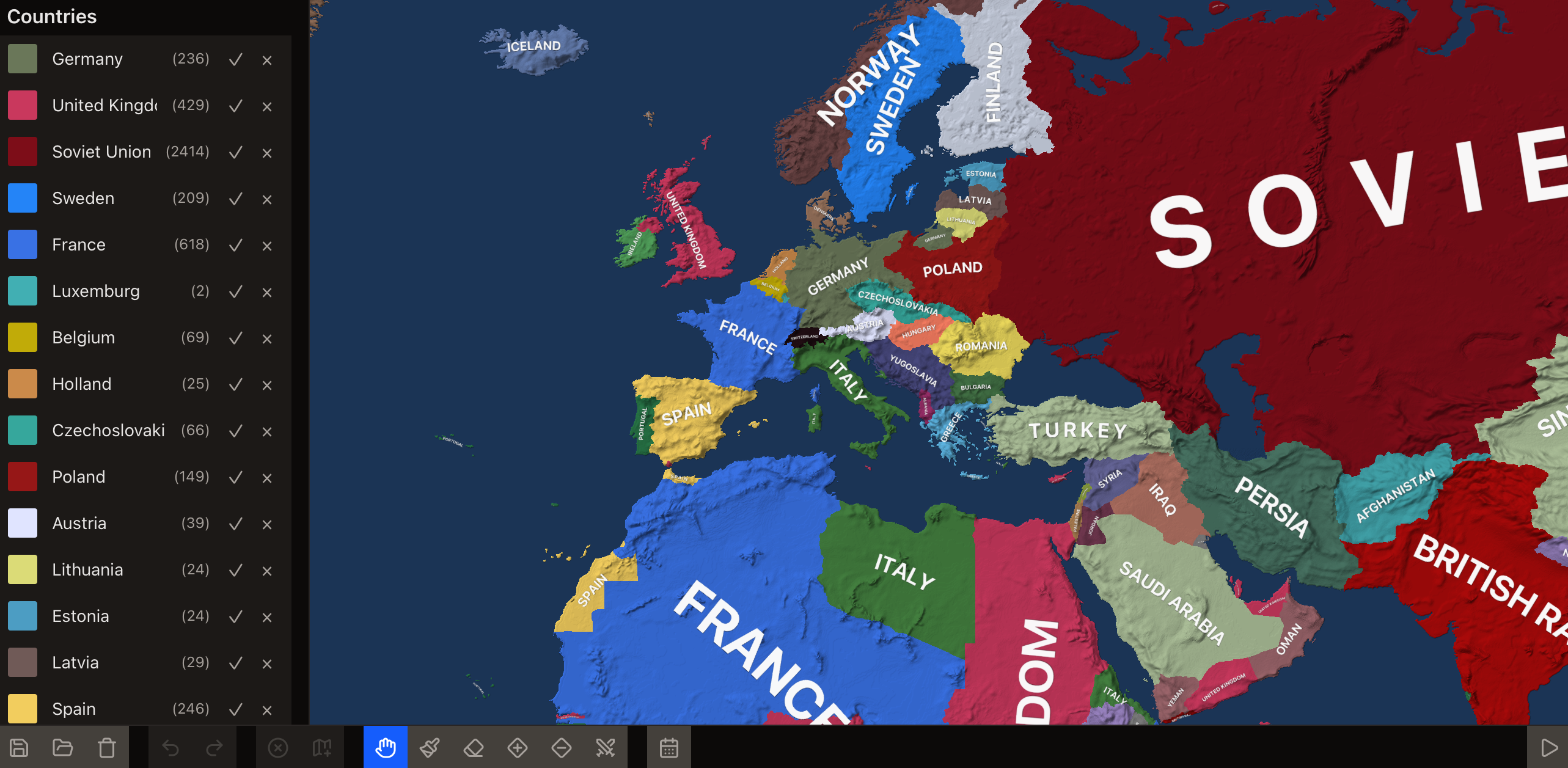
Basic usage
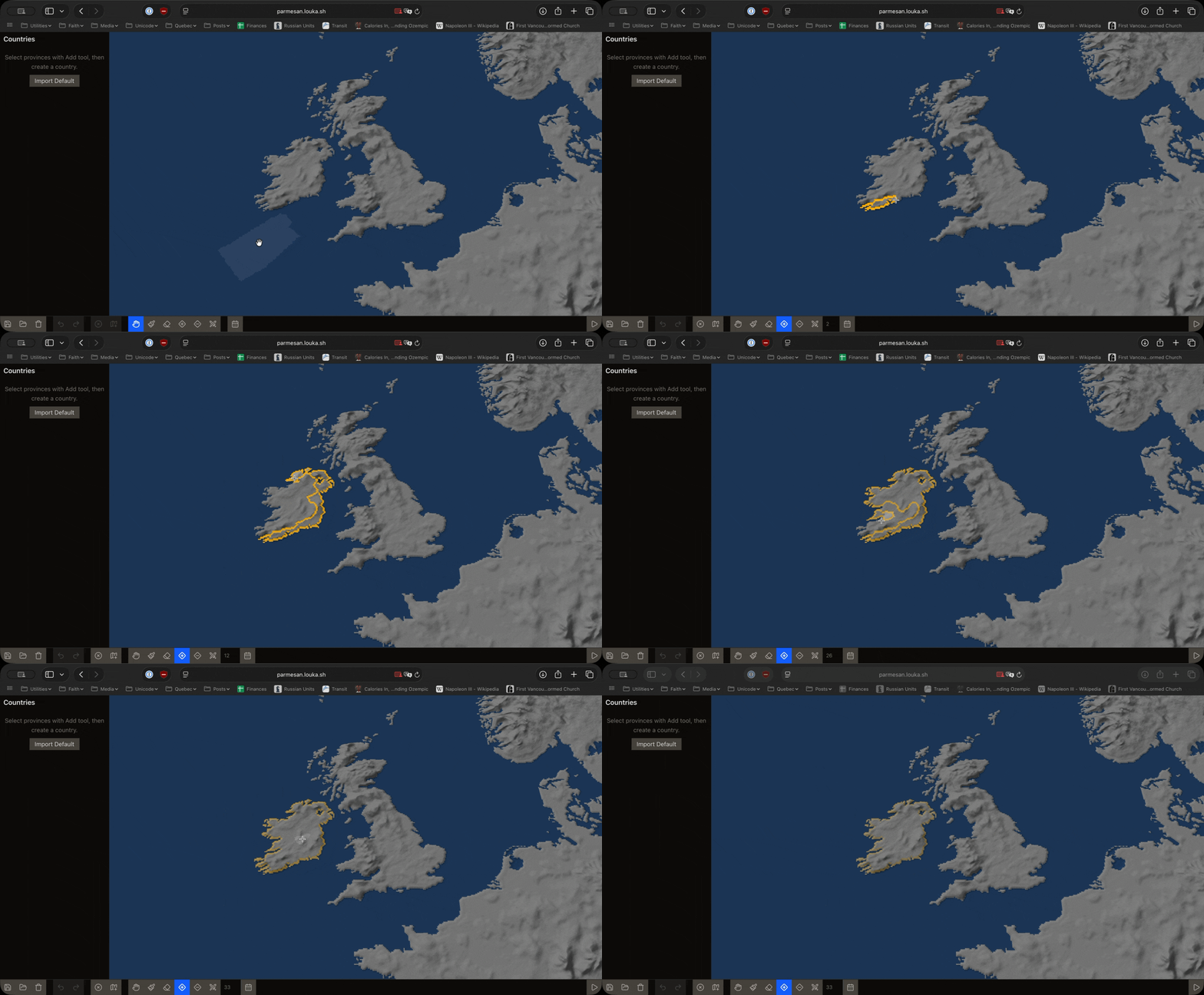
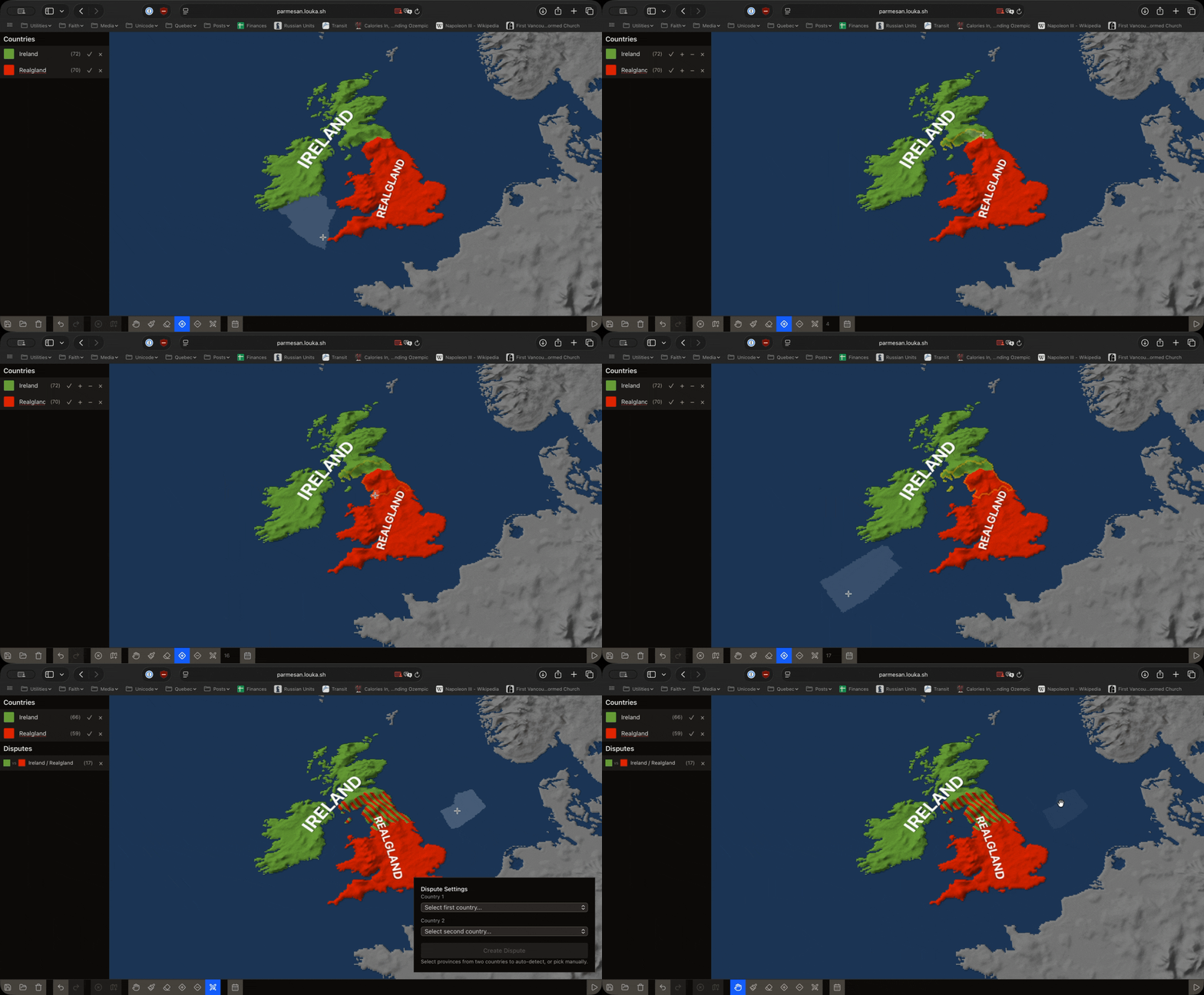
Let’s start by creating our first country. Select the + tool from the toolbar to enter region adder mode, which adds regions to your selection, then make your selection by left-clicking (and holding) on the map.
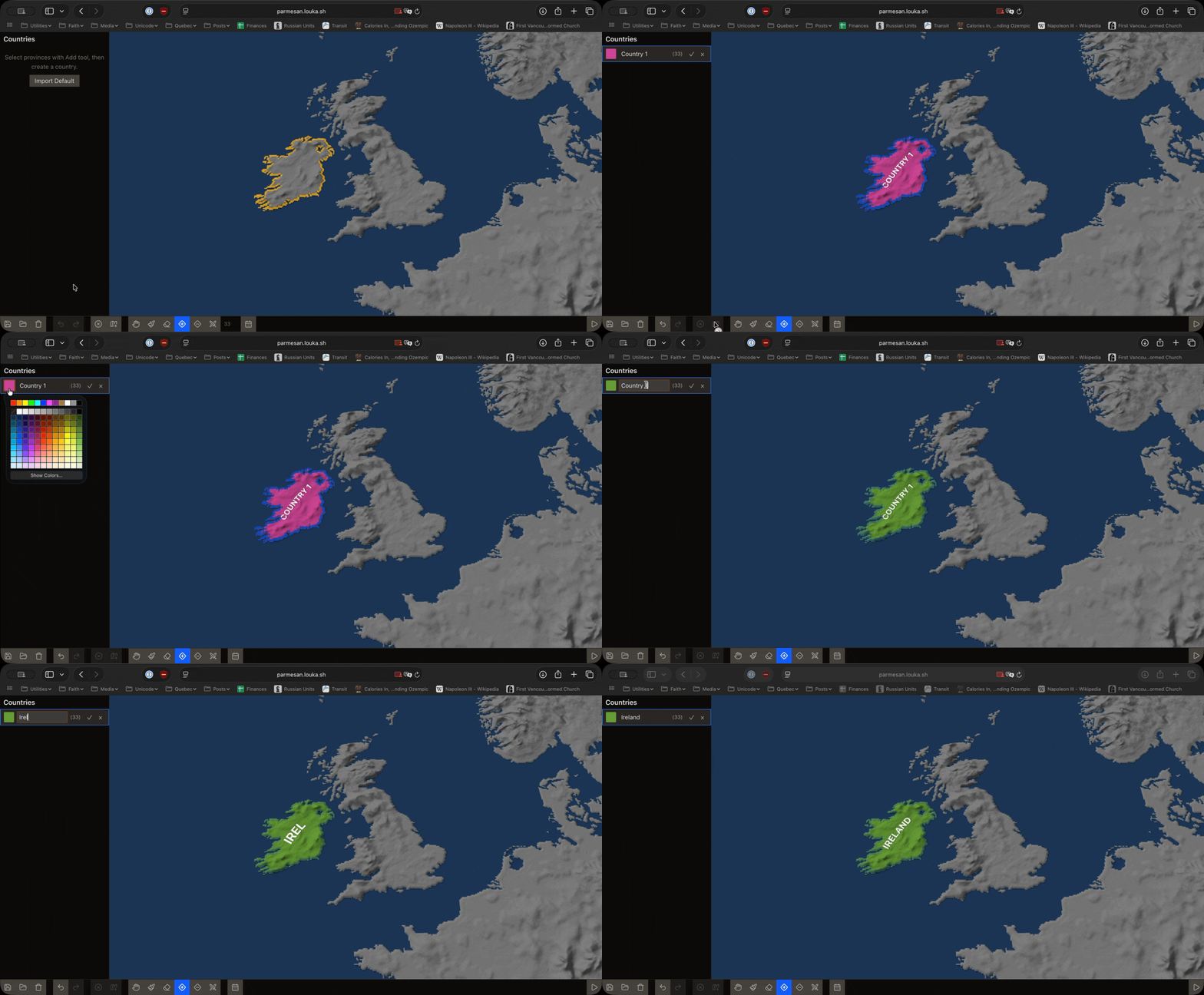
Then, to create your country, press the Create country button. You can then edit the country’s name and its color. In this example, I’m making a beautifully united Ireland.
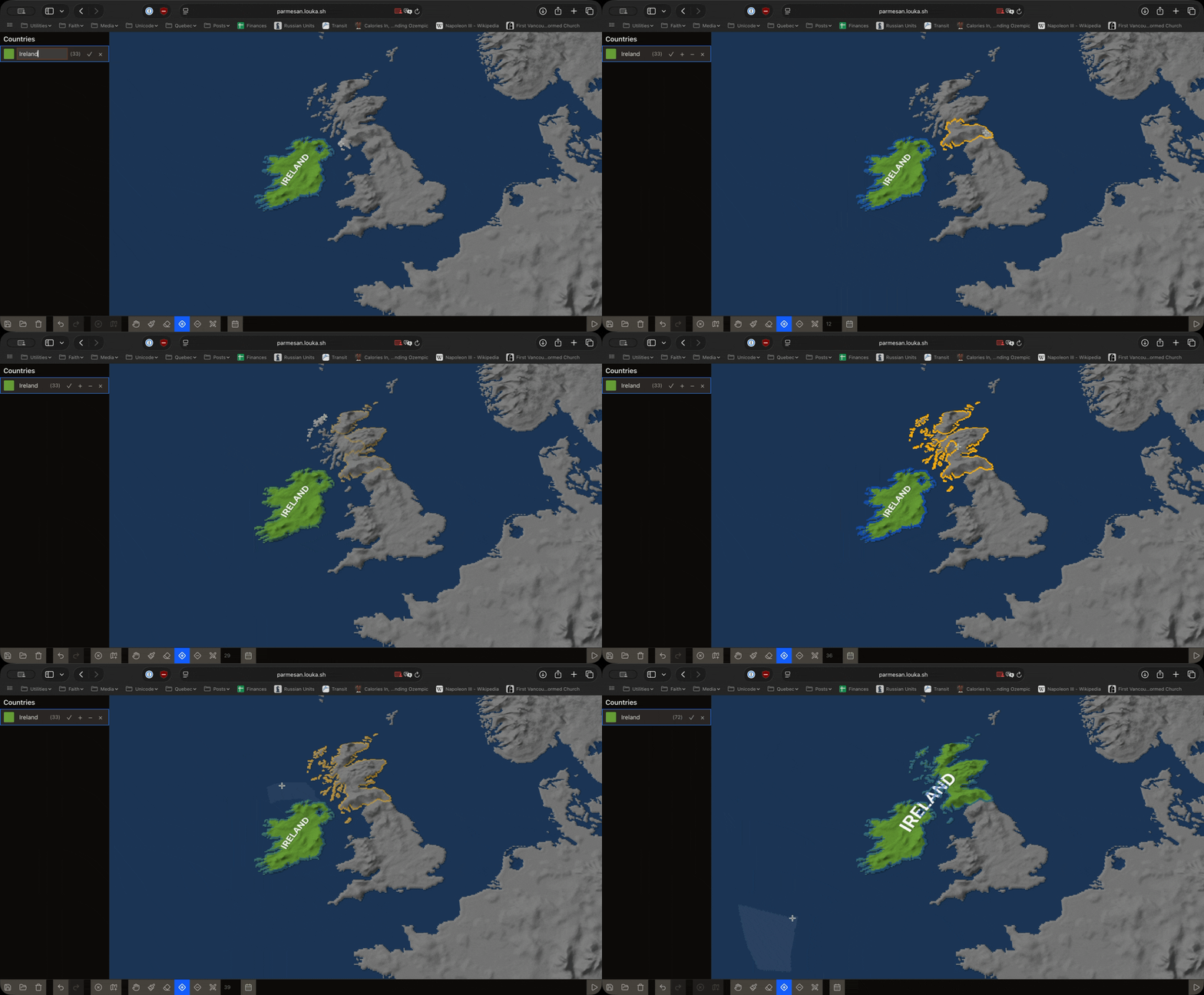
You can add more territory to a country by using the same + tool to select more regions, then pressing the + next to the country’s name in the sidebar. To remove territory, do the same but press the - instead.
When you have multiple countries, you can create disputed territories by selecting a region and pressing the Dispute button. This will created a disputed region which will be hatched with the colors of both countries. If your selection already includes two countries, they will be automatically selected for dispute, but if not, you can manually choose the countries to bother.
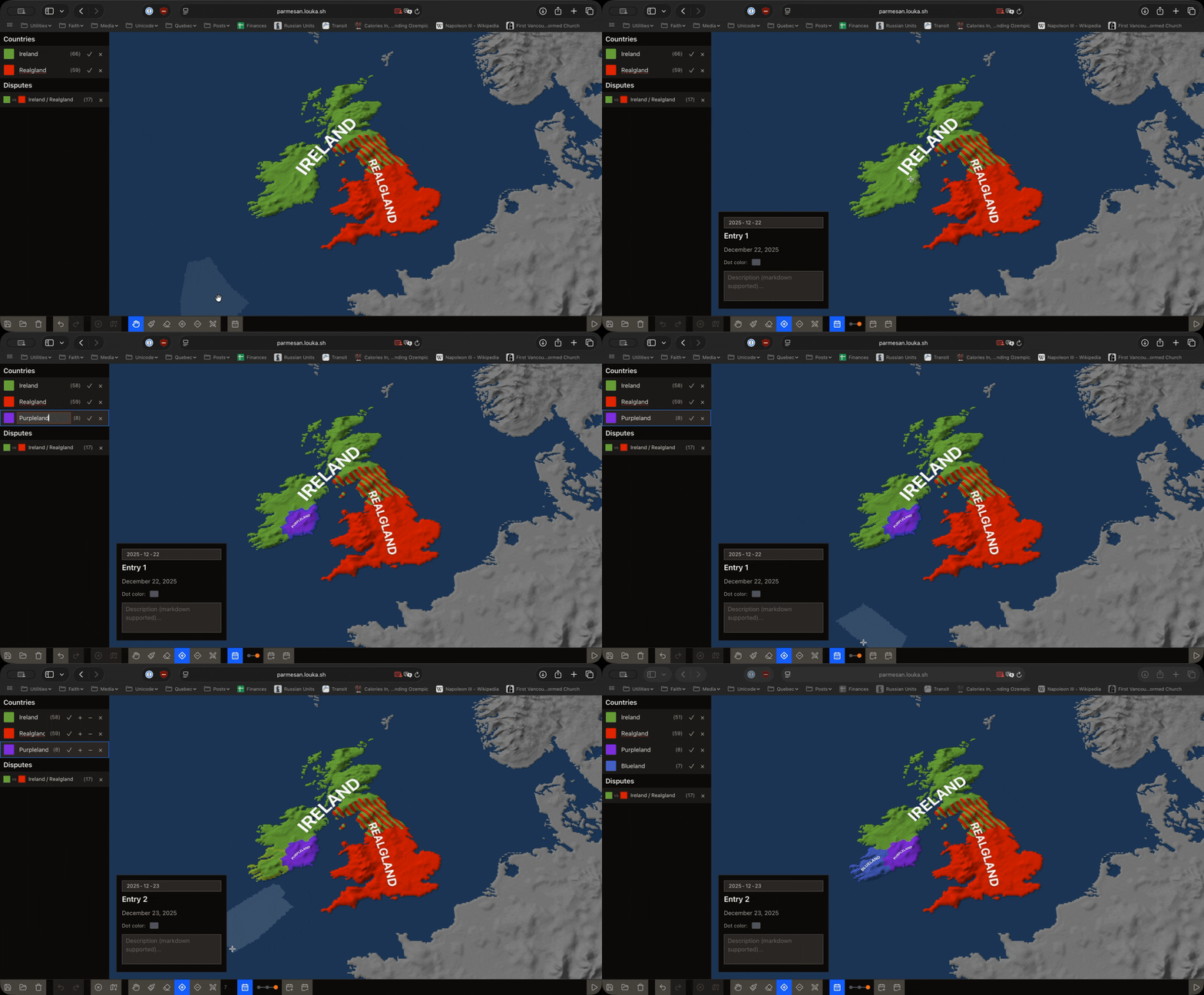
Parmesan, as to better compete with some of the other alternate history tools out here, also features a timeline editor, which allows you to create a sequence of events that will occur at specific points in time. By default, you are already editing the very first point in time, so you can get right away to adding more events by toggling on the timeline and pressing the New event button right next to it. Then, make any changes you want, and it will be automatically applied to the event.
Finally, you can present your beautiful political power fantasy by pressing the Present button to the right of the toolbar. This will show your event’s names, descriptions, and dates to the left of the map, also allowing you to use arrow keys to navigate through the timeline.
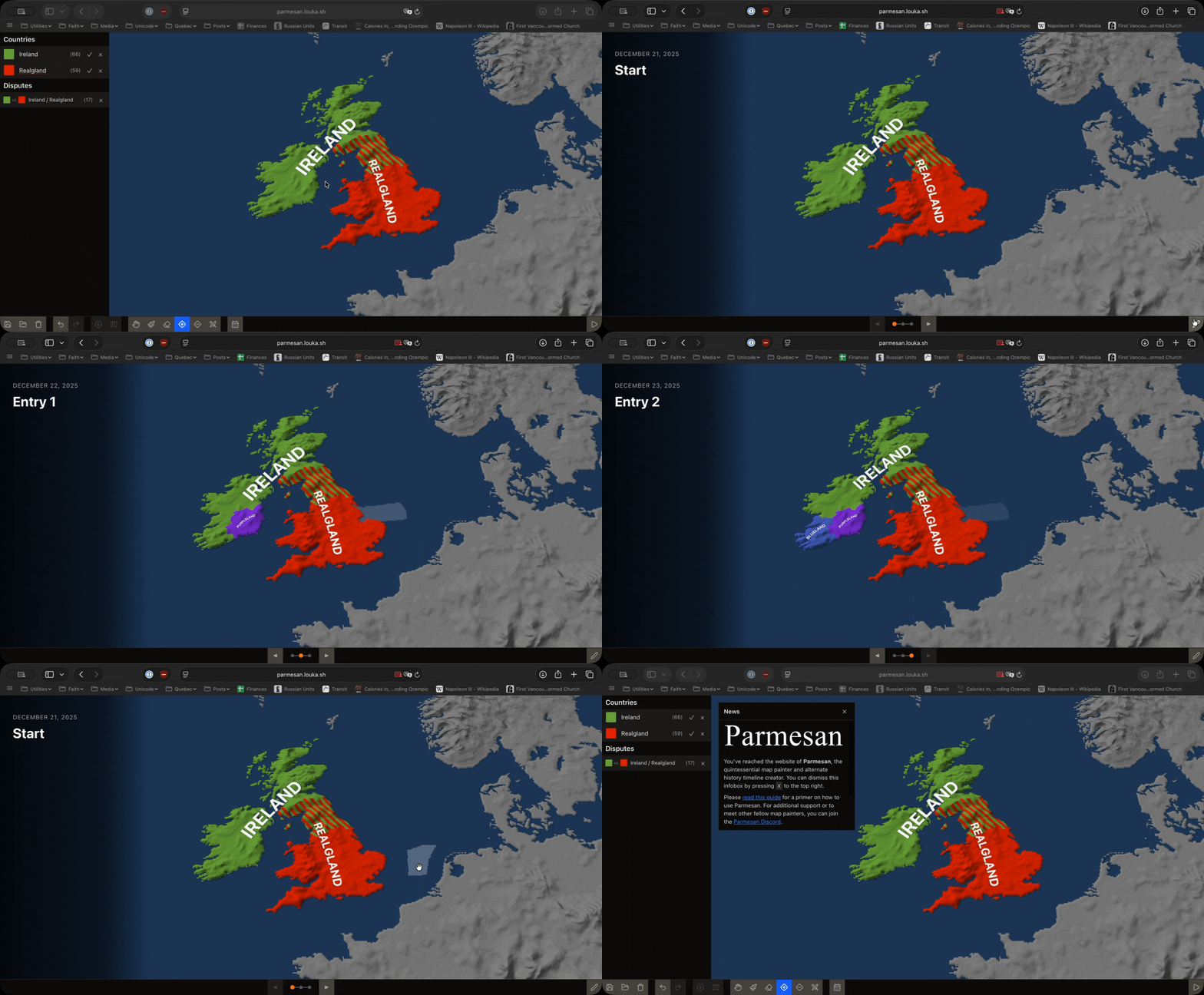
All the other buttons are simply refinements of the tools I’ve already presented. The paint brush allows you to add larger swathes of territory to your selection, while the eraser removes them. The cross in a circle clears your selection and the left/right arrows are undo and redo buttons.
The three first buttons are save, open, and reset. Save will save your current map to your computer, open will load a map from your computer, and reset will reset your map to its default state. Don’t worry about not saving your map, Parmesan will store your map in your browser’s storage so you can retrieve it later.
Implementation
Parmesan is based on the Hearts of Iron IV province data to provide territorial divisions, which turned out to be more useful than most GeoJSON datasets. I implemented a JavaScript decoder for the province bitmap and the grayscale height map, as well as a build script which outputs a default save file with the game’s initial 1936 map from the engine’s country data.
The province bitmap is quite fat (around 33 MiB), so I make use of Zstandard to compress it down to an impressive ~675 KiB, later decoded in the browser itself. I applied the same to the grayscale height map but it is much smaller anyway. The overall process is easy enough for me to do again with later versions of the game.
I then wrapped everything into a bog standard React app using Three.js for the map rendering. The end result is Parmesan. The entire project is more of a toy and a fun experiment than something I intend to seriously work on, but I do hope that others find it useful and perhaps that will motivate me to continue working on it. I do want to add more themeing options and the capacity to export maps to SVGs.
Discord is here if you want to chat about it.